Problem Installing VUM 5.0 Update 1 Plugin
This morning I was attempting to install the VMware vSphere Update Manager Extension using the vSphere Client Plug-in Manager on a 32-bit Windows 7 Professional workstation and I received this error “Setup cannot Continue. VMware vSphere Client is not found to be installed on this computer. VMware vSphere Update Manager Client 5.0 Update 1 can be installed only on machines where VMware vSphere Client is present.”

I searched the VMware KB but could not find any KB articles referencing the error. I ended up finding a fix by searching the VMware Communities in this thread. Looks like there has been an issue with this for a while now. Not sure why I have not run across the problem before now.
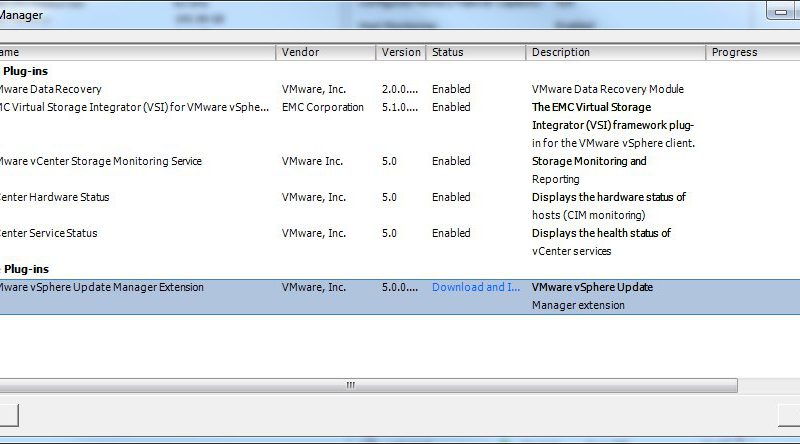
Start the Plug-in download and install from Plug-in Manager:

Once the installation starts cancel it. If you let it continue till it fails it will clean up the installation package from %TEMP%.
Find VMware-UMClient.exe in the %TEMP% directory and copy it to the root of the C drive. Then right click the VMware-UMClient.exe and choose to Run as Administrator.
Once the installer completes close and reopen the vSphere Client. Check the Plug-Manager to verify that the correct version of VUM is installed and enabled.

VMware Update Manager is now updated to the current version and enabled. All is well.




Thanks. This tip still works with the 6.0 client as well. It was driving me crazy until I came across this.