Copy files between ESXi hosts using scp

May 10, 2013 in vHersey, VMware

I have been asked how to do this twice in so many days. So here is a quick post on how to copy files between the local datastores on standalone ESXi hosts without access to shared storage. There are a number of ways to accomplish this, one way is using scp at the ESXi command line.

SSH access has to be enabled on the host you are copying to (and on the host you are copying from if you are accessing it via SSH).

scp path_to_file_to_copy root@FQDN_or_remote_host_ip:path_to_new_file_location

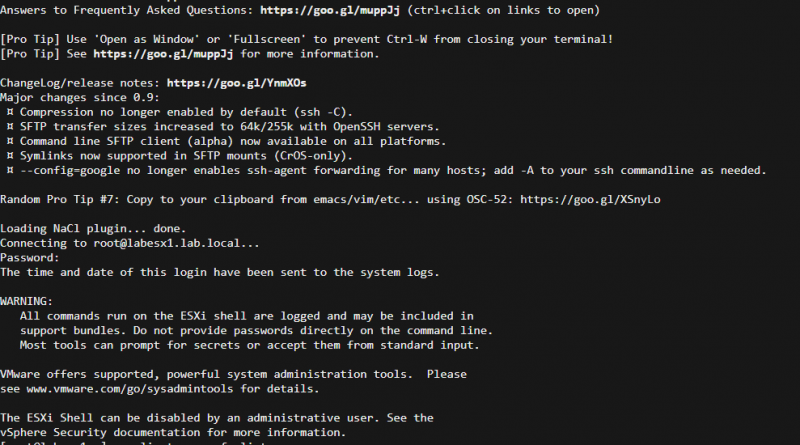
scp-capture

For example if you have an ISO named Win.iso on the local datastore1 of ESXi-1 (192.168.1.25) and you want to copy it to the local datastore1 of ESXi-2 (192.168.1.201):

scp /vmfs/volumes/datastore1/Win.iso root@192.168.1.201:/vmfs/volumes/datastore1/Win.iso

You will be prompted for the root password of the remote host and once you have successfully authenticated the file will copy.

I know this works on ESXi 5.x hosts, not sure about earlier versions. Again make sure SSH is enabled on the remote host.

Happy Friday!!!

vCenter Server Database Upgrade Hangs

April 22, 2013 in vHersey, VMware

Recently I was given a project to upgrade a 4.0 ESX environment to 5.1 (actually I have had a couple few of these upgrades recently). For this project the physical vCenter Server would also be migrated to a vCenter Server virtual machine. The upgrade/migration process is fairly straight forward. A new Virtual Machine that would host the vCenter Server components (SSO, Inventory Service, vCenter Server, VUM) was provisioned and Microsoft SQL Server 2008 Standard was installed. The SSO databases were created. Then the SSO and Inventory Services were then installed without issue.

I created a backup of the original vCenter database and for the size of the environment the database was ginormous, a little over 15GB. I thought that was odd but for whatever reason I did not really dig into it much (until this would cause the upgrade to fail – keep reading). The database was detached from the original physical vCenter Server, the db and log files were copied to the new vCenter virtual machine, and the database was then attached to the the new SQL server. The vCenter ODBC connection to the new database was created and tested, all looked fine.

Read the rest of this entry →

Citrix XenServer, meh. Console Access, neat!

April 7, 2013 in Citrix, vHersey, VMware

Recently I have performed some discovery and analysis on a couple of production Citrix XenServer environments. Both of them hosting Citrix XenDesktop and both of them have been running beside a VMware vSphere environment. Not sure exactly why the design decision was made to introduce a separate hypervisor to an environment when XenDesktop is fully supported on VMware but what is done is done.

One of these environments is going through a network redesign and I am helping out with that. The network changes are going to require that some changes be made to the network configurations on the XenServers and this is what I was asked to help out with. I have had minimal exposure to XenServer and it was back a few years ago so I needed a quick refresh. I spun up XenServer in the lab for some quick testing.

XenCenter-ScreenShot

Good news is the changes that need to be made are fairly simple and things should go without issue. Bad news is all VMs without XenServer Tools installed (a majority of them) will have to be powered down before the network connection can be changed. What!!! Powered down to disconnect a VM from one network and reconnect it to a different one, yep. Crap!

One feature of XenCenter that I do find extremely neat (and useful) is the host Console access through XenCenter. Just select the host and then the Console Tab and you are presented with a command line console for the select XenServer host.

XenCenter-CLIConsole

To start up the console GUI (similar to DCUI on ESXi) run xsconsole from the command line.

XenCenter-GUIConsole

XenServer was easy to install and XenCenter management is fairly intuitive. The host console access is a neat feature but overall I am not impressed (now I know why I stopped messing with this way back when). I am going to keep poking around in it just so I can be familiar with the ins and outs but as I tweeted yesterday – “XenServer installed in the home lab. So I tried it and it is OK, now give me back my vSphere.”

BTW my lab XenServer environment is running on ESXi. To do this you prepare and configure the VM just as you would to run nested ESXi (VM HW version 9, vhv.enabled = “TRUE”, and Guest OS: VMware ESXi 5.x).

XenonESXi

I <3 vSphere!

vSphere Storage Appliance cleanup.bat

April 1, 2013 in Storage, vHersey, VMware

I have been doing some home lab work with the vSphere Storage Appliance (VSA). I have had a few request recently from customers with very small environments looking to leverage virtualization and a couple of large environments looking for solutions for branch offices.

I have been doing a lot of testing which included destroying and rebuilding the environment (multiple times). I just want to be familiar with how failures are handled and more importantly to recover from a failure. This is pretty well covered in the vSphere Storage Appliance Installation and Configuration Documentation.

One thing that was helpful in the lab environment was the section on “Deleting a VSA Cluster

There is a script called cleanup.bat on the VSA Manager Server, in the case of my lab this is installed on the vCenter Server, located in C:\Program Files\VMware\Infrastructure\tomcat\webapps\VSAManager\WEB-INF\test\tool\. To completely delete a VSA Cluster simply run this script passing your vCenter Administrator username, password, and Datacenter the VSA Cluster is configured on as parameters.

cleanup.bat vi-admin@lab.local MySuperSecretPassword LabDC

Not only does this delete the VSA Cluster, it also destroys all data in the VSA Cluster associated with the Datacenter LabDC – so be careful!!!

Just a note that I tried this several times without success. I found that the cleanup.bat script had to be run from an elevated (Run as Administrator) command prompt for it to work.

As the document says once the cleanup.bat completes you will need to restart the VMware Virtual Center Management Webservices.

I know the VSA is marketed for the SMB and I can see where that would be a good use case for it but I think for use in a branch office, where it is managed by a vCenter in an HQ, is really the where the VSA can shine.

Curious if anyone has deployed the VMware vSphere VSA in a production environment? Interested in hearing your thoughts or comments.

Toastmasters Meeting – Journey to VCDX

March 12, 2013 in vHersey, VMware

During VMware PEX I attended the VCDX Boot Camp in order to gain some insight into the VCDX certification process. One of the suggestions made by the Boot Camp panelists was to look up a local Toastmasters club and participate to help improve your ability to speak in front of others. So I did just that and last night I attended the first meeting.

There are several Toastmaster clubs in my area but I chose the ComUnity Speakers Toastmasters Club #5037 located in Chesapeake. This club meets on the 2nd and 4th Monday of each month at 7:00 PM and the meeting location is on my way home from work. I decided to check out this club specifically because of the activity posted on social media. The club seems to be very active with good participation from the members.

I enjoyed the meeting. The meeting follows an agenda that is very similar to the one on the ComUnity Getting Started page. The club President called the meeting to order and there were two prepared speeches by members. One was a member’s first Icebreaker speech and the other was a member’s speech project to demonstrate using props while speaking.

After the first two prepared speeches there were what are called “table topics” sessions. This is where you are given a topic and asked to speak “off the cuff” about it for one to two minutes. Everyone was invited to participate and I think everyone that was in attendance did. I even got up and talked about my cat for a minute and 18 seconds.

After the prepared speeches and table topics evaluations are given. The evaluator for each speech gives an oral assessment of the speech offering praise, tips, and suggestions. The “ah” counter and timer (everything is timed) also give their assessments. The general evaluator then gives an evaluation of the meeting overall. All evaluations were very constructive.

At the close of the meeting they asked guest to speak about how they found out about the club, what brought them to the meeting, and what they thought of the meeting. Neat process and a good group of folks. I can definitely see where this could be a benefit to anyone looking to become more comfortable with public speaking or just communicating in general.

Looking forward to the next meeting.

VMware PEX- Great Sessions, Good Times, Cool People

March 1, 2013 in vHersey, VMware

Had a great time in Las Vegas for VMware PEX 2013. I attended a lot of great sessions and meet some really cool people.

Had some really great sessions my last day at PEX. The Virtualizing Business Critical Applications for Maximum Performance session with @vmMarkA was excellent. Some really good performance best practices and a ton of great performance troubleshooting information. Specifically the information on the key metrics to monitor when trouble shooting performance issues. A lot of information packed into this one hour session and I have a few pages of notes on it. These will most certainly be summarized in another post in the very near future.

I also attended two other fantastic sessions on my final day, one on Exchange Virtualization Best Practices by @afontana_vmw and another which was a HA Deep Dive for SQL Server Virtualization by Scott Salyer of VMware. The Exchange session expanded a bit on the earlier performance session offering up some Exchange specific performance tuning options. The HA Deep Dive for SQL dove deep :) into the different HA options for SQL. Again, once I organize my notes there will probably be a separate post with a bit more detail on these session.

Finally got a chance to meet up with @nfritsch. Great guy! Had a great discussion with him about Citrix VDI and we chatted a bit about VMUG. Great to meet you Nick and look forward to chatting with you again soon.

The only thing I was disappointed with at PEX were the General Session Keynotes. Not sure what I was expecting but even with the stage setup and elaborate production these were anticlimactic (how awesome can a tech keynote be, don’t know but I was expecting more) and uninspiring. I can’t say that keynotes were very beneficial to me.

Where the keynotes were pretty blah, the guest speaker, Shawn Achor who gave a talk during the General Session on the second day was fantastic. Will probably end up buying his book, The Happiness Advantage: The Seven Principles of Positive Psychology That Fuel Success and Performance at Work, hope it is as interesting and entertaining as his presentation was.

I had a great time, learned a bunch of new stuff, and met a lot of really cool people. Look forward to the next one.

Nick-PEX
Nick @nfritsch

SixFootDad-PEX
Damian (@sixfootdad) doing some work on AutoLab in the Hang Space.

Me-Brocade-PEX
Hey look it’s me! (This picture won me an iPad in the Brocade/EMC twitter contest!!!)

Fingers crossed for @timantz and @kennega and everyone else that defended for VCDX at PEX. You guys are awesome and inspiring!

VMware PEX Day 2

February 26, 2013 in vHersey, VMware

Well I meant to do a quick post last night but after making a small donation to the Mandalay Bay Casino and some time at the Ri Ra Pub by the time Sandy and I got back to the room I was pretty much done for the night.

VMware PEX day 2 was great! Actually I guess officially it was day 1 of PEX, but it was my 2nd day of enjoying the festivities of all things VMWare :)

Took part in the SRM Essentials Boot Camp in the morning. The Boot Camp was pretty good, but it was just about the basics. Still some good information but it was gear towards someone who had not done an implementation or worked with SRM. The session had a lot of great information just not really anything new for me.

The afternoon session was the vCenter Operations Manager Essentials Workshop. I enjoyed this one, mostly because vCOPs is fairly new to me – seen it, looks neat, have not messed with it yet. Lot of great information on installing vCOPs and interpreting the “badges” to determine the health, risks, and efficiency of a virtual or physical environment. This looks like a great product and I am going to do a bit more digging into it. I can definitely see the benefits it will bring to customers.

After the vCOPS session I ran into @TheJasonNash. He had a copy of his TrainSignal vCOPs video and now I have it :)

In the afternoon I was able to observe a mock VCDX defense. This was a great experience. Two defending VCDXs gave their presentations and two current VCDXs offered up tips and ask them questions about their design. Very good stuff there. Both of those VCDX hopefuls are defending today, I wish them much luck and I thank them for letting me observe their practice.

The morning general session is getting ready to start so that is all for now.

Have a great day at VMware PEX!

VMware PEX – VCDX Boot Camp

February 25, 2013 in vHersey, VMware

The VCDX Boot Camp was actually one of my primary reasons for making the trip to attend VMwarePEX. I mean there are a lot of other great sessions that I am looking forward to but this one is really all about me and my professional goals.

Over the past year or so I have earned the VCAP-DCA and VCAP-DCD on vSphere 5 and just recently took on a new role as a Datacenter Architect for a VMware Partner. I have been spending some time thinking about where I want to go with my professional development. The thought of pursuing the VCDX has crossed my mind but until recently I had not really decided if it was the path I wanted to take.

The VCDX Boot Camp started at 8:30 AM and was led by a panel of VCDXs including Joh Arrasjid, Mostafa Khalil, Mahesh Rajani, Ben Li, Michael Webster, and I know I am missing at least two others. The Boot Camp covered the paths and prereqs before submitting for and up until the defense. They panelist also talked about the different parts of the defense in detail including time limits and what they are expecting. The session was 4 hours long with a couple of short breaks.

I have about 10 pages worth of notes I took most of them are of defense tips including things like: “Think out loud, we want to know how you are arriving at a solution”, “The journey is just as important as the solution”, “If you are unable to verbalize your thoughts use the whiteboard”, “if you are not into public speaking, get over it”, and “Do it right the first time, don’t rush it.”

One of the biggest takeaways that I have is that the VCDX panelist want you to succeed. The “defense” really makes it sound like you are going to get in a room in front of a few people and they are going to take shots at you and your design for a couple hours. Perhaps it is kind of like that but the panelists are interested in understanding your design and the process you took to arrive at your design decisions. At the end of the day they want you to be successful and that means making sure you have the knowledge and skills required to be a VMware Design Expert.

The session included four scenarios, two design scenarios and two troubleshooting scenarios. This was another fantastic part of the session. The focus was on asking the right questions, trying not to focus too much on a single point, and walking the panelists through your thought process (thinking out loud). Really good stuff there and great to get some insight into the process.

The slide deck from the VCDX Bootcamp can be found on the VMware VCDX site at http://www.vmware.com/go/vcdx. Look in the VCDX Resources Box.

vcdxbootcampVMwarePEX2013
The VCDX Boot Camp Panel

There were several guys attending the Boot Camp that are doing there defense here at PEX. Sending some thoughts their way – you guys are going to be awesome!!! Good luck!!! You guys will rock it!!!

The VCDX process is going to take a lot of work, it sure as hell ain’t going to be easy, and I know I need a bit more design experience, but I can do this.

If you attended the VCDX Boot Camp at PEX or if you have attending one in the past, I would love to here your thoughts. Also if any VCDXs out there have some tips or thoughts to add those would be much appreciated.

#VMwarePEX or Bust

February 22, 2013 in vHersey, VMware

Headed to the VMware Partner Exchange 2013 (PEX) in Vegas. Looking forward to it and I have a schedule full of VMware goodness. By this time tomorrow Sandy and I should be well on our way to Vegas.

I am going to try to post something here every night while I am there. Follow me on twitter @herseyc to see what is going on. Better yet if you are there hit me up and maybe we can chat for a bit.

Doing some Vegas research to prepare for the trip :)


If the embeded video doesn’t show just go here http://www.youtube.com/watch?v=bYP5Sgg1qAI :)

Hope to see you there!

vBrownBag VMware Site Recovery Manager (SRM) Demo

January 26, 2013 in vHersey, VMware

I presented a VMware Site Recovery Manager (SRM) demo for the US vBrownBag on January 16, 2013 and here is the recording.

2013-01-16 20.31 ProfessionalVMware vBrownBag US with Hersey Cartwright (@herseyc) from ProfessionalVMware on Vimeo.

and here is the slide deck.

The presentation wraps up my earlier posts on configuring SRM with array replication in the my lab – Part 1, Environment Setup, is here and Part 2, SRM Configuration, is here.

Working on the next vBrownBag presentation on SRM using vSphere Replication scheduled for Wednesday, January 30, 2013 at 8:30 PM Eastern. Hope to see you there.

The US vBrownBag happens every Wednesday night at 8:30 Eastern. Sign up to participate here: http://professionalvmware.com/brownbags/

Got a topic you would like to present? Volunteer to present here: http://professionalvmware.com/brownbags/vbrownbag-presenter-sign-up/

Enjoy!